I made a Mac app for reading Markdown
My day job is building websites for clients, mostly in Laravel and Statamic these days. I love that work - but recently, I decided to build something on the side to scratch an itch, and it turned out to be something totally different: a Mac app for the desktop.
Like a lot of you, I’ve been wading through the AI landscape up to my eyeballs, and one thing I’ve been seeing more of is Markdown files.
A lot more Markdown files.
Under the hood, I have Claude managing a “brain” for my company that is based around Obsidian, which is a glorified Markdown editor, but with a lot of niceties to connect everything together.
Mostly, I never open Obsidian - but once in a while, I want to read something my clanker has given me, without the visual noise of line numbers and everything else in VS Code (or whatever your default Markdown viewer might be). Those tools are great, but they’re made for editing code, and they’re overkill when all I want is to read.
I know - it’s not really a problem, but being able to focus without that kind of distraction makes a real difference these days. I was looking for a calmer experience in reading Markdown.
Behold, I give you Stillread - it’s a calm place to read Markdown on your Mac.
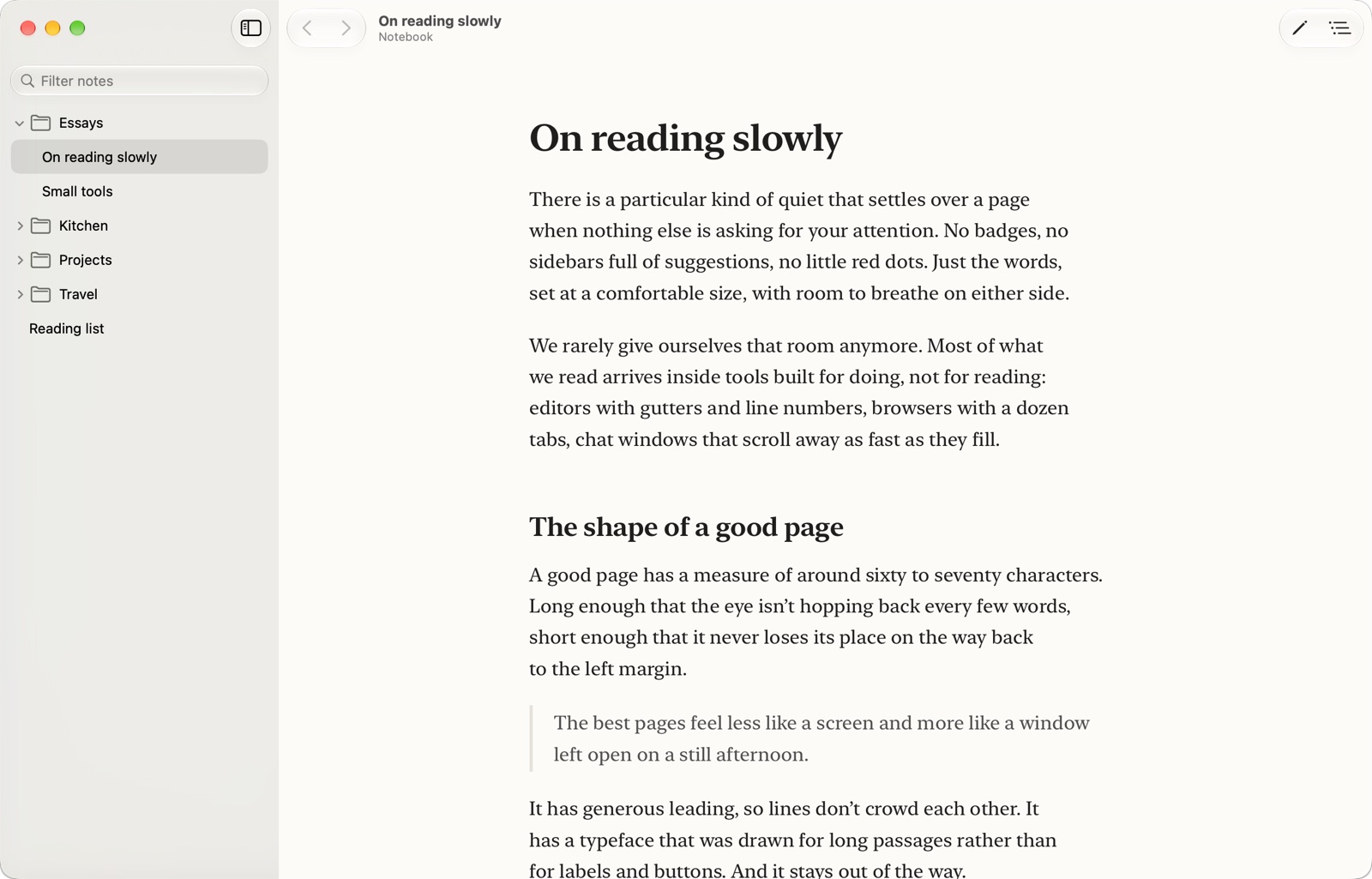
I’ve been using it every day since the first build, and it’s been a real treat to have a simple Markdown reader, with the ability to edit should I choose to.
Being a maker
I’ve been inspired by the vibe out there lately to lean into being a maker. The tools available to us now really remove so many of the limits we once felt as experts in only one specific kind of web or software development.
Indeed, the only real limit now is what we can imagine.
Still, a native Mac app was new territory for me. I built Stillread with a lot of help from AI tools, and it still took real decisions at every step: what to leave out, how it should feel, what “calm” actually means on a screen. The tools made it possible for a web developer like me to ship a Mac app in a few days, and I still had to figure out the taste part myself.
Try it
Reading is free, and it always will be. Editing is a one-time $9.99 unlock, with no subscription.
You can download it at stillread.app. It runs on macOS 14 Sonoma or later.
If you read a lot of Markdown, I’d love to hear what you think… and if something feels off, tell me. I’d love to make it better if I can.
Join my Email List
Get notified about my work with Statamic - from new YouTube videos to articles and tutorials on my blog, and more.